
Effortless and Reliable MIDI Sync
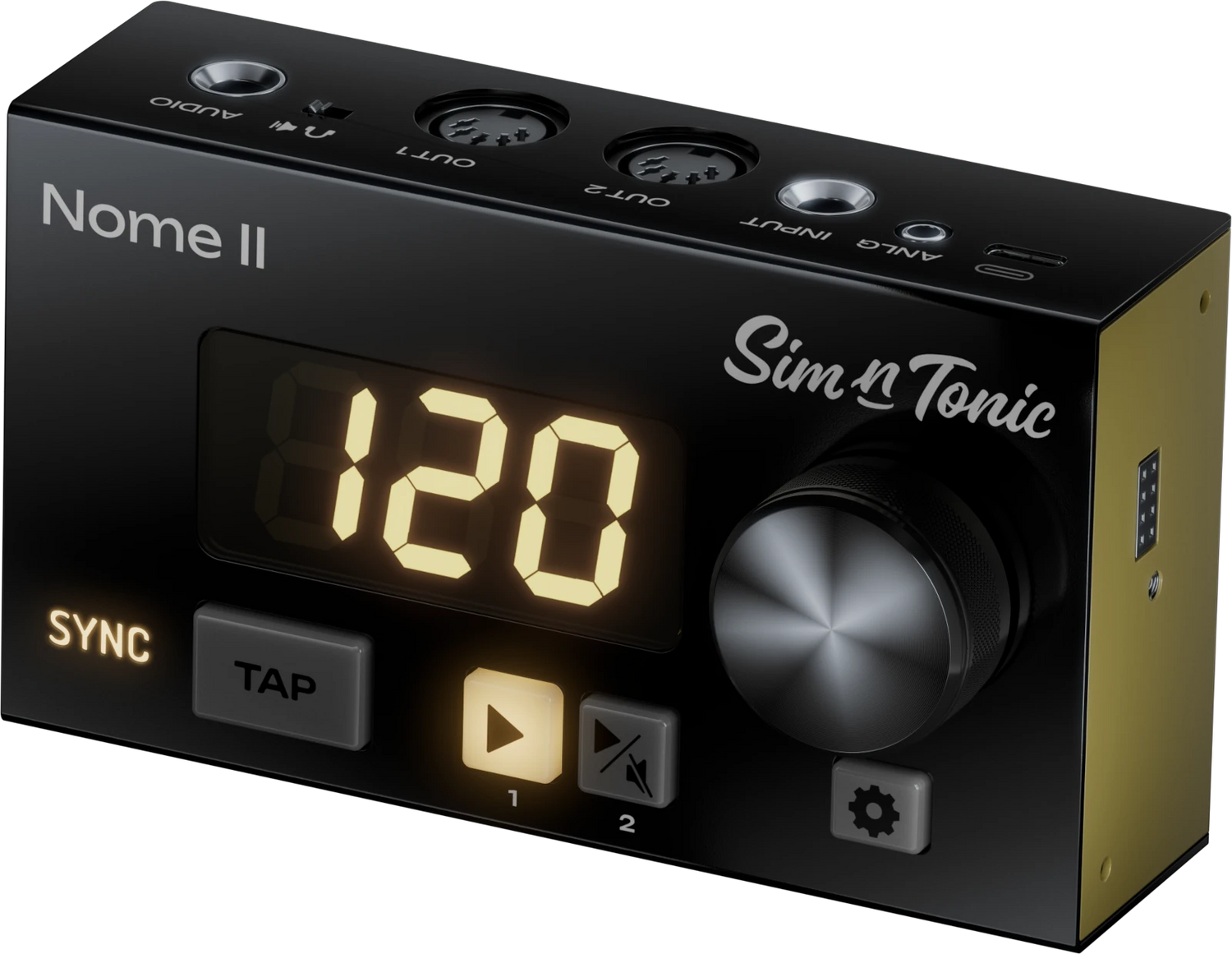
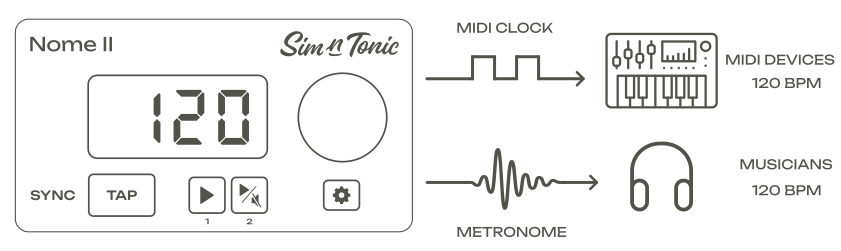
At the core, Nome II is a MIDI Master Clock, that means it will control the tempo and start your machines on time. Live, it will sync acoustic musicians as well with its built-in metronome. In the studio it will solve your sync issues by syncing your DAW and your outboard gear together.

Record Hardware Synths on the Grid
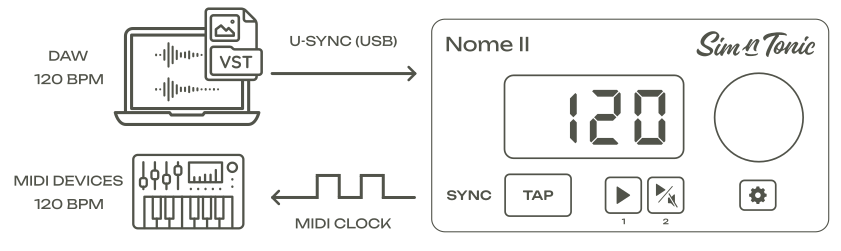
Sync Nome II to your DAW with a simple USB cable using our first-of-its-kind U-SYNC technology! By far the easiest way to record your hardware synths perfectly in time in your DAW.
Easily Get your Modular & Vintage Gear in Sync
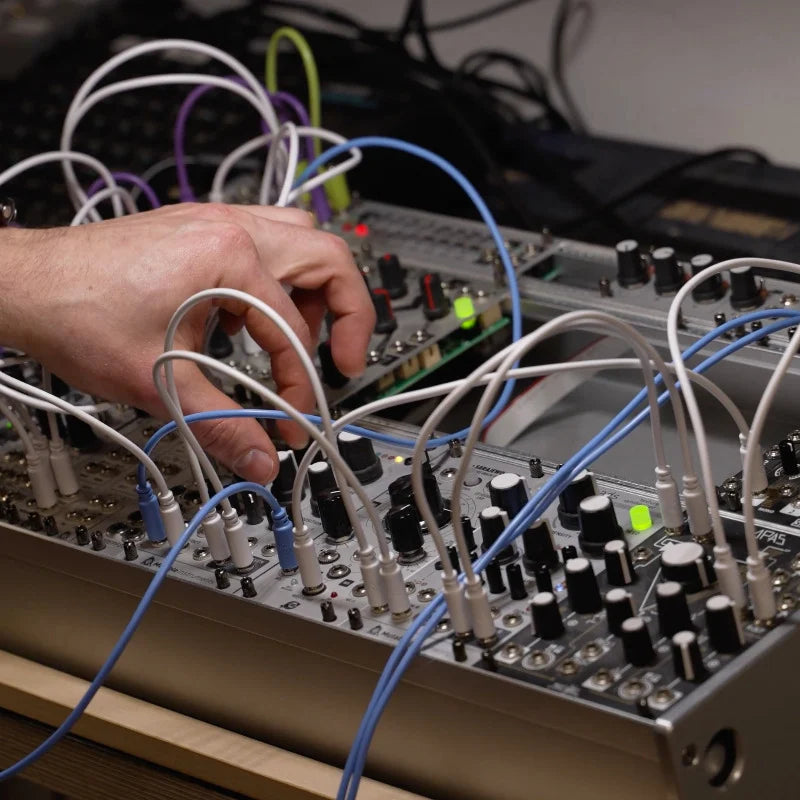
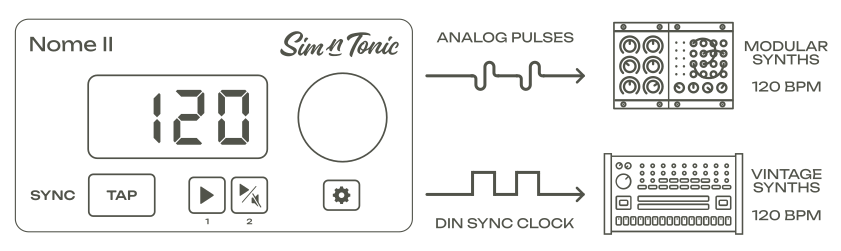
Two analog clock outputs at your fingertips, with configurable speed from 1 to 24 parts per quarternote. Or configure them as DIN Sync clock output to sync your vintage machines.
And Musicians with the Built-In Metronome
Get Live musicians in time as well by using the built-in metronome. The device is perfect for live usage, with its solid metal case and large knob.
The Midronome (Nome I) in 40 seconds

Plug in, lock in, and play on
Nome II is the simple, stable, and precise sync solution for musicians who want to focus on music
Technical Specifications
The spicy tech details!
Tempo
| Tempo | 30 to 400 BPM |
| Tempo Decimals | Down to the 100th decimal (for ex. 125.64 BPM) |
| Time Signature | Any signature in /2, /4, /8 or /16 with a whole amount of quarters |
Physical Connections
| Outputs |
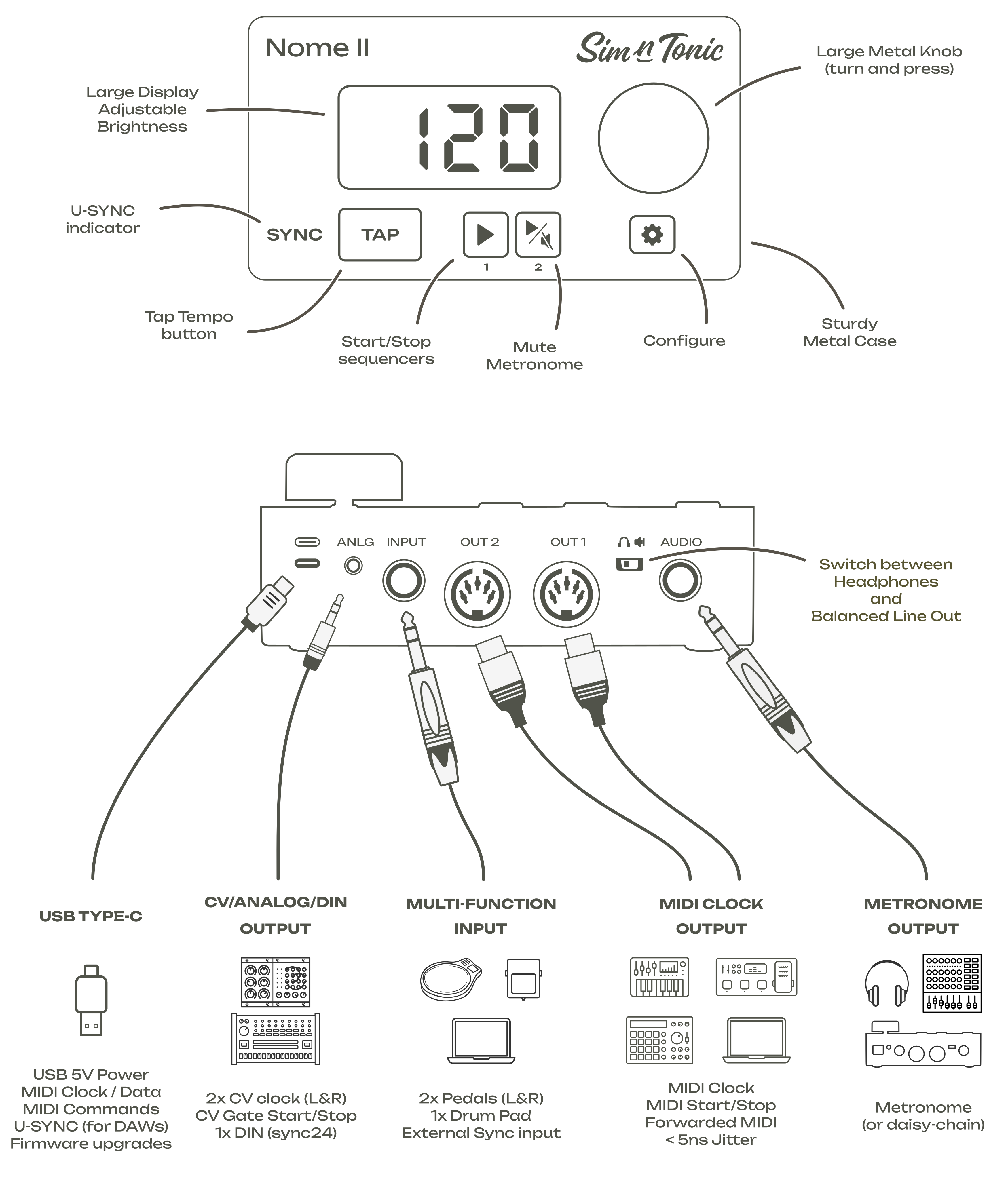
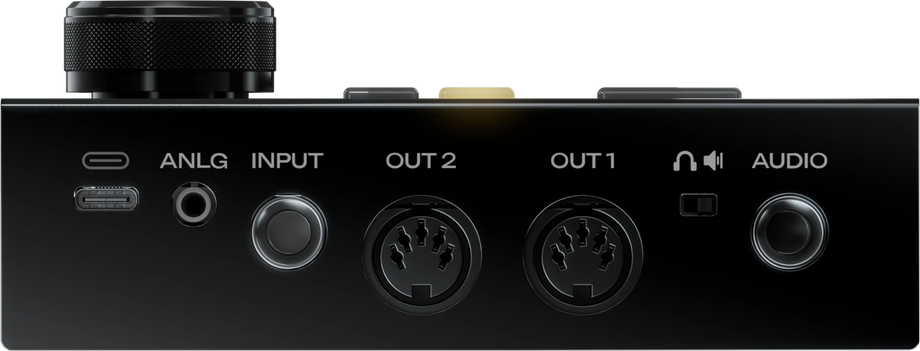
2x MIDI Outputs - DIN 1x ANLG Clock (3.5mm stereo TRS - 2 outputs) 1x AUDIO (6.35mm stereo TRS) |
| Inputs | 1x USB-C plug (power & communication) device only 1x Multi-function input (6.35mm stereo TRS - 2 inputs) |
| Other | 1x Add-on Module interface (on the side) for future expansions |
MIDI
| MIDI Outputs |
No-load voltage 3.3V Follows MIDI Specification Compatible with MIDI-powered devices |
|
MIDI Messages |
Constantly: F8 (MIDI Clock) Start: F2 00 00 (MIDI SPP 0), FA (MIDI Start) Stop: FB (MIDI Stop) followed by Bx 7B 00 (All Notes Off) Resync: FB (MIDI Stop) followed by Start + any other forwarded MIDI message |
|
MIDI Clock Jitter |
< 0.005µs (5ns) when running as Master clock < 0.05µs when using U-SYNC No jitter added from other MIDI messages (smart merging) |
| USB-MIDI |
Class Compliant 3 input interfaces:
3 output interfaces:
|
| USB-MIDI Commands | Change tempo and time signature Mute/unmute metronome Change analog clock speed Start/stop/resync sequencers Apply Tempo Presets |
| Forwarded MIDI messages | All except Realtime MIDI Max SysEx data size: 500 bytes |
Analog Clocks
| CV/Analog clocks |
2 independent outputs (stereo jack) 5ms pulse 0-5V Configurable speed from 1ppq to 24ppq |
| DIN Sync (sync24) |
Compatible with Roland vintage devices Requires an adapter from TRS to DIN Sync |
Audio Metronome
| Metronome sound |
60 built-in click sounds + 4 custom sounds (upload using computer) Has subdivisions with time signatures in /8 or /16 Adjustable sound for downbeat, 8th and 16th notes |
| Max. Audio Level |
Balanced Line Out: +13 dBu Headphones: 15 mW + 15 mW at 32 Ω |
| Audio volume |
9 volume levels +/-6dB steps Adjustable volume for downbeat, 8th and 16th notes |
Multi-function Input
| Possible functions |
Pedal/Footswitch Drum Pad/Trigger as Tap Tempo External sync to regular analog from 1 to 24ppq |
| Pedal functions |
Mute/Unmute Play/Stop Tap Tempo Change Tempo Preset |
| Accepted pedal type |
Momentary (typical sustain pedal) Latching (typical guitar amp footswitch) |
| Momentary pedal polarity | Both (automatically detected) |
Sync with DAWs
| MacOS & Windows |
Sync using U-SYNC Only USB cable needed to sync the Nome Bidirectional sync (change tempo + start from either Nome or DAW) Adjustable latency +/- 100ms Jitter < 0.05µs |
Other
| Tempo Presets |
50 Presets Saves BPM and Time Signature Can be recalled with buttons, pedals, or MIDI Commands |
| Smart Tap Tempo |
Tap Tempo matches both speed and "phase" Smart averaging of the taps |
| Count-in / Count-off |
Count-in: machines start 1 bar after pressing play Count-off: tap one bar to set the tempo and start your machines |
| Play/Stop Modes |
Play on the next bar Play right away and reset metronome |
| Play/Mute Buttons |
Configured as 2 play buttons, one for each MIDI port (default) Configured as one play button and one mute button Play button can act on both ports or only Port 1 |
| Power Source | USB Bus Power - 5V |
| Current consumption |
80mA average (default brightness 300) 250mA average (maximum brightness 800) 350mA peak (without add-on module) Asks for 500mA from USB host |
| Dimensions (WxDxH) | WxLxH: 132x75x37mm (without knob/buttons, height with knob: 52mm) |
| Weight |
Product alone: 362g With packaging: 586g |
Take control of your sync
Nome II gives you pro-level sync, total reliability, and a setup so simple you’ll get it to work within minutes. Customize it to your liking once and forget about syncing your gear ever again.
Stop troubleshooting. Start playing.
Still got some questions?
FAQ

Can I use Nome II with my device?
If your device has a MIDI input port and can follow (slave to) MIDI Clock, then yes. If not, check if your device can follow other types of clocks (for example analog clocks).
Can I use it to start my device?
If your device reacts to MIDI Start/Stop commands or an analog run gate, or a start trigger, then yes, you will be able to control it from Nome II.
Note that most arpeggiators need to be "played", i.e. the timing of the arp will match the Nome's, but you still need to press the keys at the right time to start it on time.
What if my device does not have any MIDI input ports?
Nome II also sends analog clock for modular synths, and many synths and sequencers have an input called “sync” which would accept these clocks. It also sends a MIDI clock on its USB port, which can be sent to a computer or any USB host (for example a phone or tablet with an OTG adapter).
What if my device does not have any input ports at all?
If your device cannot follow any kind of clock, you can make it send regular audio pulses (1-24ppq) and Nome II will follow, sending clocks to your other equipments.
Can I sync my Pioneer DJ equipment?
Yes but it’s not easy – see the question above. You can also use the Time nudging and smart tap tempo to "match" the timing of your equipement manually.
Can I sync more than 2 MIDI devices?
You can easily attach a “MIDI Thru” box to sync many devices. Or you can also use the “Thru” port on your devices, which will forward the MIDI data further. Or you can sync multiple Nomes together.
Does it have an audio metronome?
Yes! With subdivisions, support for time signatures in /8, /16, adjustable volume and sound for downbeat, 8th notes, 16th notes, and possibility of uploading custom sounds!
Can I sync my vintage synth, f.ex. a TR606?
Absolutely, using a small adapter to connect the ANLG plug of Nome II to the clock input of your 606.
Can I use it to record my hardware synths in my DAW?
Yes! You can use our custom U-SYNC software, which syncs over USB, to adjust latencies and get recordings perfectly on the grid in your DAW.
Please note this syncs the Nome to your DAW, to sync your machines you still need to sync them to the Nome (using MIDI or Analog clock).
Is Nome II suitable for DAWless Live usage?
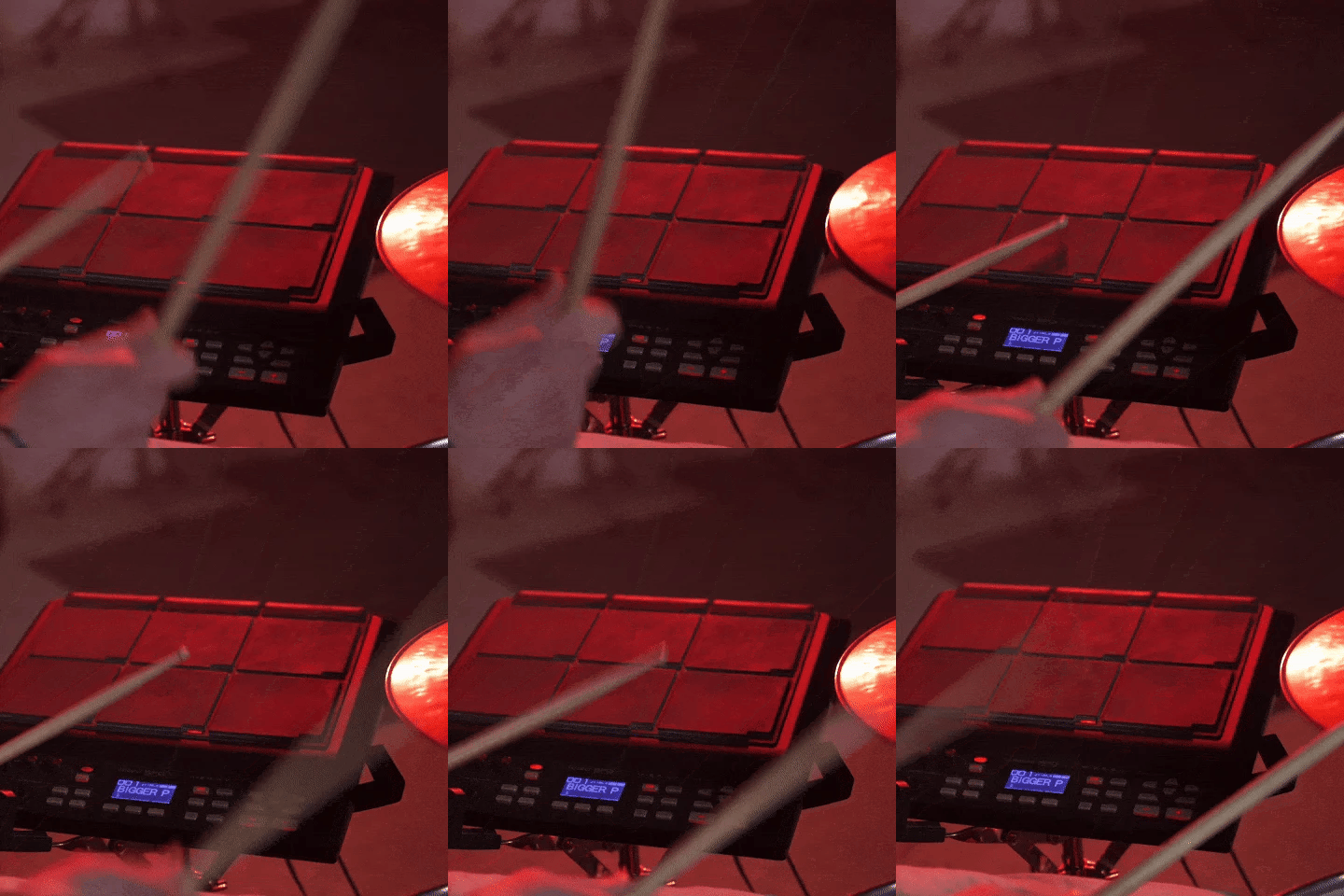
Definitely, it was even designed for it! Where to start? Strong metal case, large knob, bright display, remote control, audio metronome, customisable, and more!
I have another question!
Please check out the general FAQ, or ask the Sim’n Tonic community on Facebook or the Forums (links on the Support page), where our founder Simon is often very active.